
SEMA Show 2019
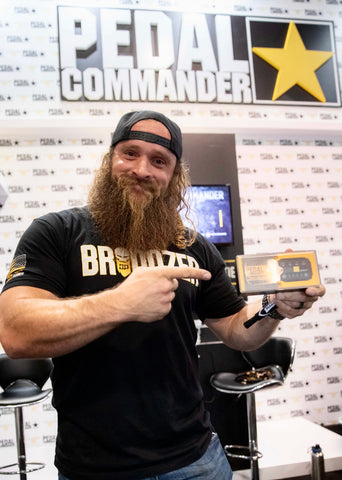
Earlier this month, our Pedal Commander® team attended the SEMA Show 2019.

SEMA (Specialty Equipment Market Association) is a yearly event that takes place at the Las Vegas Convention Center. The automotive industry’s best and brightest manufacturers and retailers get together to debut all the hottest car parts.
Our team had a blast at the SEMA Show 2019. We were fortunate enough to see some of the best, weirdest, and craziest looking vehicles during our time at the event. We also got to meet hundreds of new people who were unfamiliar with the Pedal Commander® and teach them about the great benefits that it provides.
This year our booth was set up in the South Upper Hall. At our booth, we had our Can-am stationed for display, along with charging stations and video displays. Outside at the blue lot, we had our newly wrapped Ford F-250 on display along with our 2-door Can-am sitting on top of it. Yes… on top of it. If you ask me, I’d say it was one of the sickest vehicles’ for display.


On Wednesday, November 6th, we had both the Diesel Brothers and Blake Wilkey stop by our booth to sign autographs and people loved it! It’s great to know that these two stand behind Pedal Commander®!

Follow us on all our social platforms to stay up to date on all upcoming events, special offers, giveaways, and much more.
Instagram: (www.instagram.com/pedalcommander )
FaceBook: (www.facebook.com/pedalcommander )
Twitter: (www.twitter.com/pedalcommander )
Youtube (www.youtube.com/pedalcommander )
As always, we'd like to thank our sponsors for the support:
- Icon Vehicle Dynamics (www.instagram.com/iconalloys )
- Gladiator Tires (www.instagram.com/gladiatortires )
- Rugged Radios (www.instagram.com/ruggedradios )
- KC Hilites (www.instagram.com/kchilites )
- Assault Industries UTV (www.instagram.com/assaultutv )
- Warn Industries (www.instagram.com/warnindustries )
- Sparco USA (www.instagram.com/sparcousa )
- Scosche Industries (www.instagram.com/scoscheinc )
- Hellwig Products (www.instagram.com/hellwig_products )
- Magnaflow (www.instagram.com/magnaflow )
- Amp Research (www.instagram.com/ampresearch )
- Airaid Filters (www.instagram.com/airaid )